Video tutorials
REMINDER: Starting Fall 2016 students creating an ePortfolio for the FIRST time should use the SLCC's platform, Digication.
Please look at the ePortfolio "Examples" page to get a sense of what you could/should do withyour ePortfolio. If you need face-to-face help, stop by one of the ePortfolio Open Labs for help.
Click HERE for some advice on substance and style.
Please look at the ePortfolio "Examples" page to get a sense of what you could/should do withyour ePortfolio. If you need face-to-face help, stop by one of the ePortfolio Open Labs for help.
Click HERE for some advice on substance and style.
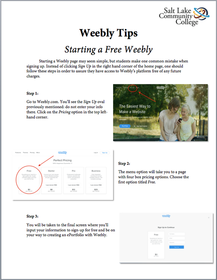
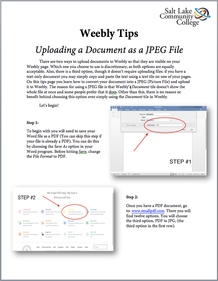
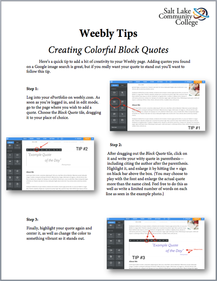
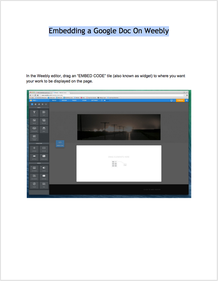
Click HERE for information on the lab locations and hours.The following tutorials offer instructions on and tips for building the basic structure (skeleton) of your SLCC Gen Ed ePortfolio with Weebly. These tutorials will also help you learn how to use some of Weebly's features.
TIP: Weebly does not play well with Internet Explorer. Use FireFox, Safari, or Chrome to build on Weebly.
TIP: Weebly does not play well with Internet Explorer. Use FireFox, Safari, or Chrome to build on Weebly.